
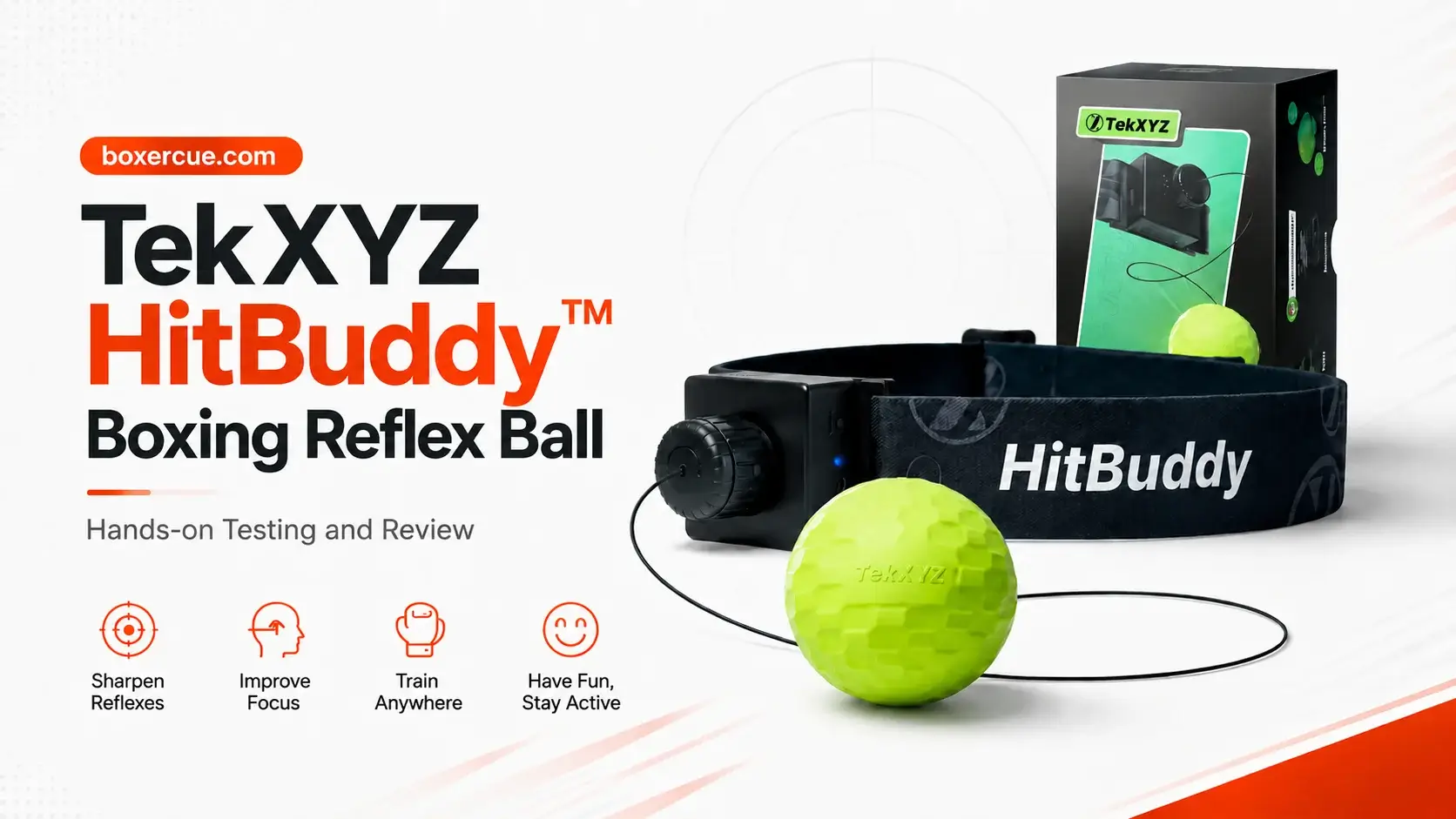
Can a reflex ball actually improve your timing, or is it just another gadget you stop using after a few days?
Most reflex balls are simple. You strap on a headband, hit the ball, miss a lot at first, and try to get better with practice.
But TekXYZ HitBuddy adds more structure to it with a built-in voice counter, app access, and a glow ball. The TekXYZ app also includes training modes, rankings, video sharing, and community features.
That makes HitBuddy H1 more interesting than a basic reflex ball, but it also gives me more to test. For this page, I explored the setup, comfort, string adjustment, beginner difficulty, voice counter accuracy, app features, and more.
TekXYZ supplied the product, but the testing notes and final opinions are based on actual use. So, read on to find out if HitBuddy is worth choosing over a standard reflex boxing ball, where it works well, the limits, and who it actually makes sense for.
Key Takeaways
- HitBuddy H1 adds more structure to reflex training with a voice counter, app tracking, training modes, and workout records.
- The voice counter tracks clean punches and gives you a clear goal during sessions.
- Beginners should expect a learning curve. The first sessions can feel awkward, but timing improves with practice.
- The adjustable headband and string system make setup simple, while string length changes the difficulty level.
- The Sink™ concave design helps keep the anchor and pin parts away from the fist during hits, which can reduce hand discomfort during longer sessions.
- The TekXYZ app adds value with targets, rankings, workout history, points, and different training modes.
- The glow ball (GlowFlex) is a useful extra for visibility in dim lighting.
- HitBuddy H1 is best for beginners and casual fitness users who want feedback and progress tracking, but it is not a replacement for boxing coaching or heavy bag training.
Table of Contents
TekXYZ HitBuddy Overview and Technical Specs
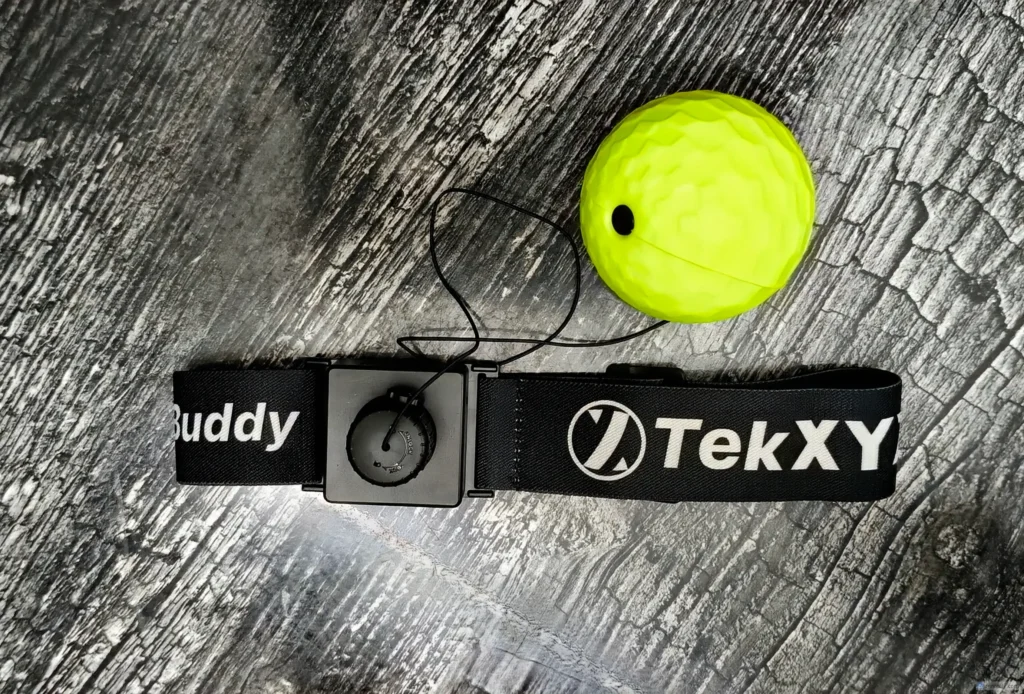
HitBuddy H1 is a head-worn boxing reflex ball with a glow ball, built-in voice counter, and TekXYZ app access. You wear the headband, hit the foam ball as it rebounds toward you, and it counts your punches while you train.
It’s basically a fun home training tool for hand-eye coordination, reaction speed, rhythm, and light boxing-style exercise.
| Name | TekXYZ HitBuddy H1 |
|---|---|
| Ball material | PU foam |
| Headband | Adjustable slide-buckle design with smooth nylon strap |
| String adjustment | Twist-to-adjust rope length to avoid knots |
| Main training use | Fun reflex practice, stress relief, focus, coordination, timing, and punch rhythm |
| Price | $36.99 USD |
Unboxing and First Impressions
The HitBuddy arrived in good shape; the box felt firm, the parts were packed neatly, and nothing looked loose when I opened it.
The headband felt better than a cheap strap. The fabric had enough structure, and the buckle looked simple enough to adjust without fighting it. The ball felt soft and light in the hand, which is important because you may take a few hits to the face. The elastic string had a good stretch out of the box and did not feel brittle.
What’s in the Box?
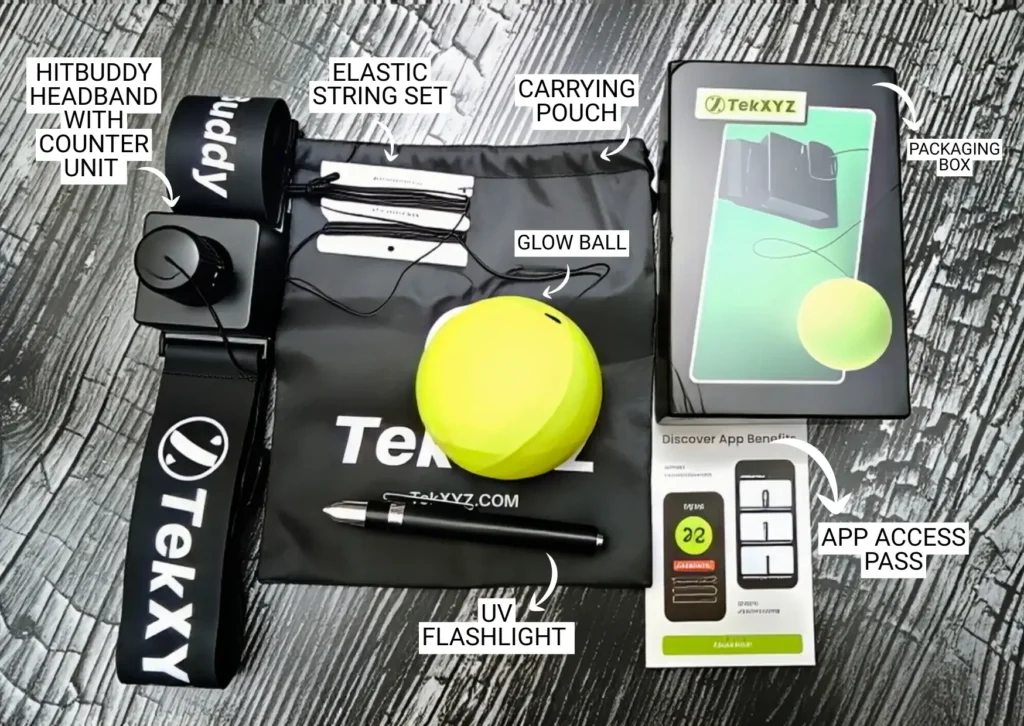
Here is what came with my HitBuddy H1 kit:
- HitBuddy headband with counter unit
- Glow ball (GlowFlex)
- UV flashlight
- Spare elastic string set
- Carrying pouch
- App Access Pass
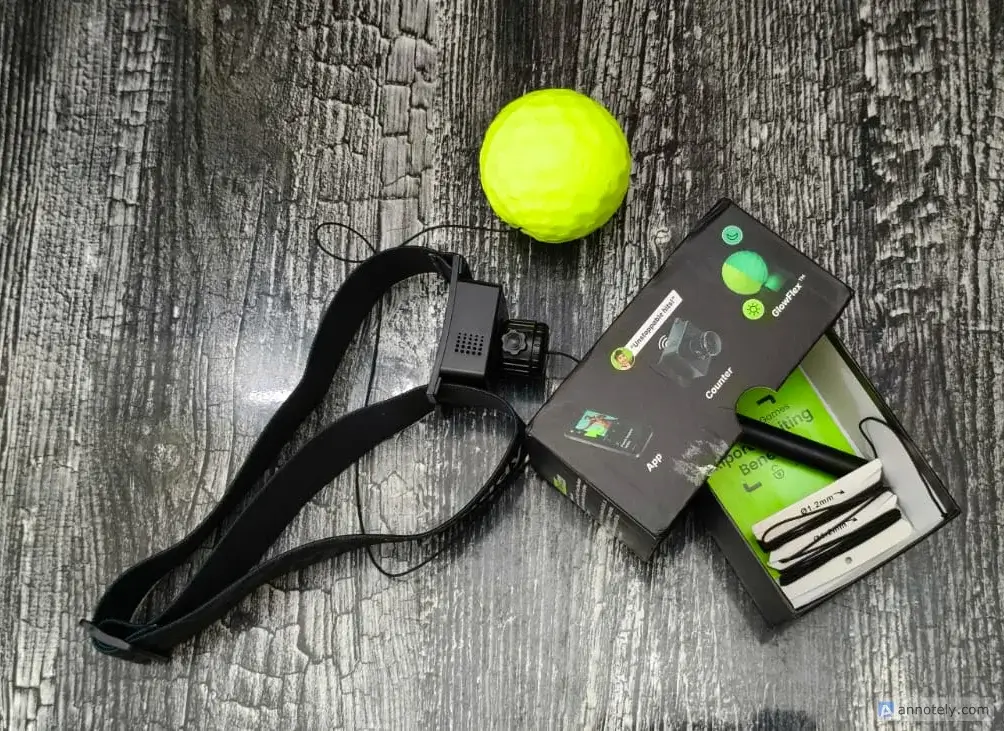
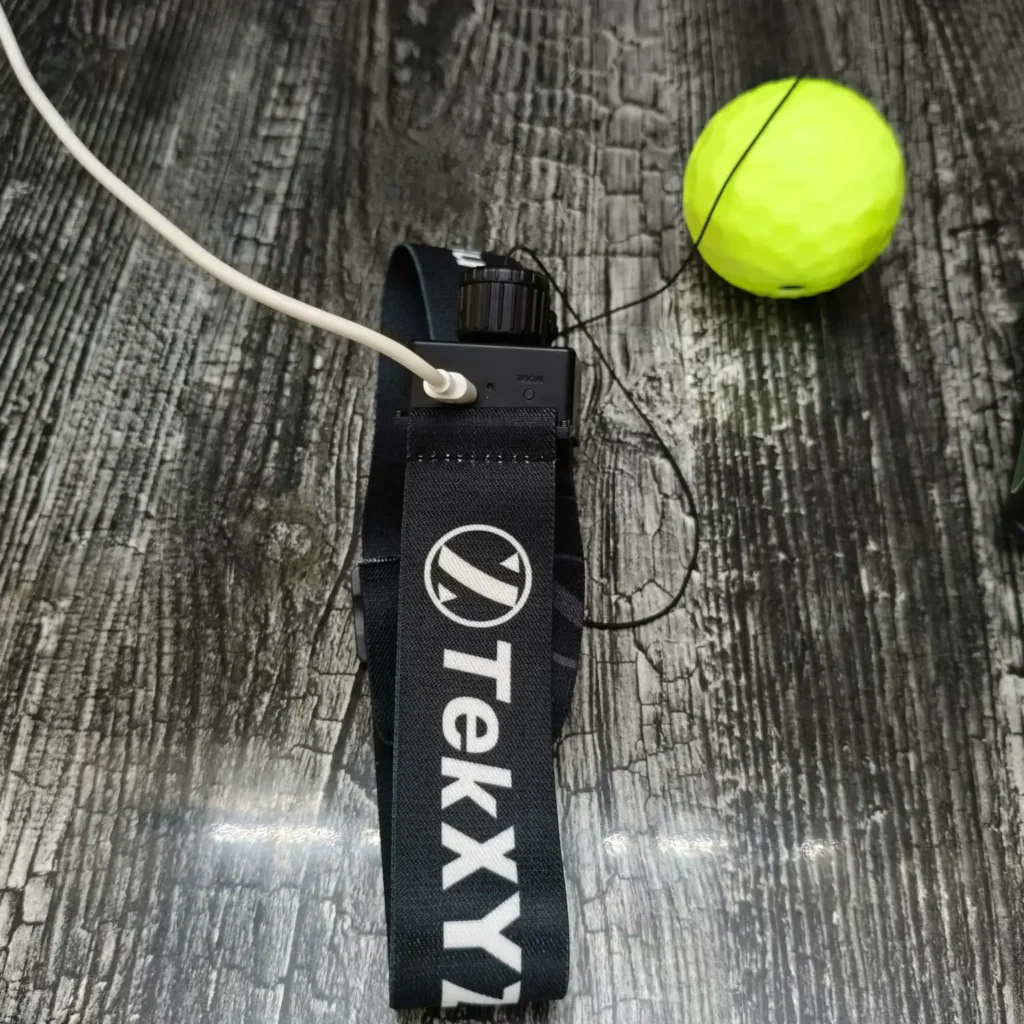
The carrying pouch is a nice touch because it can become messy fast if you leave the string, ball, and headband loose in a drawer. The UV flashlight worked well after I added an AAA battery. The charging process was also simple. The device uses Type-C charging, and I used a normal Type-C cable without any issue.
Setup and First Session
Setup was quick enough. Not instant, but not annoying either.
My ball came attached to the headband, and I just had to adjust the string length slightly and start using it. If yours doesn’t come assembled, it may take a few minutes to attach the ball and adjust the string. The app setup also doesn’t take long, and the basic product setup is simple.
The headband was the easiest part. It uses a slide-buckle system with a smooth strap, so I did not have to pull apart Velcro or worry about hooks catching hair. I put it on, tightened it until it felt secure, then shook my head a little to check if the counter unit moved. It stayed in place once I found the right fit. Too tight made the front pressure noticeable. Snug is the goal. The slide-buckle design can help to adjust without hook-and-loop catching.
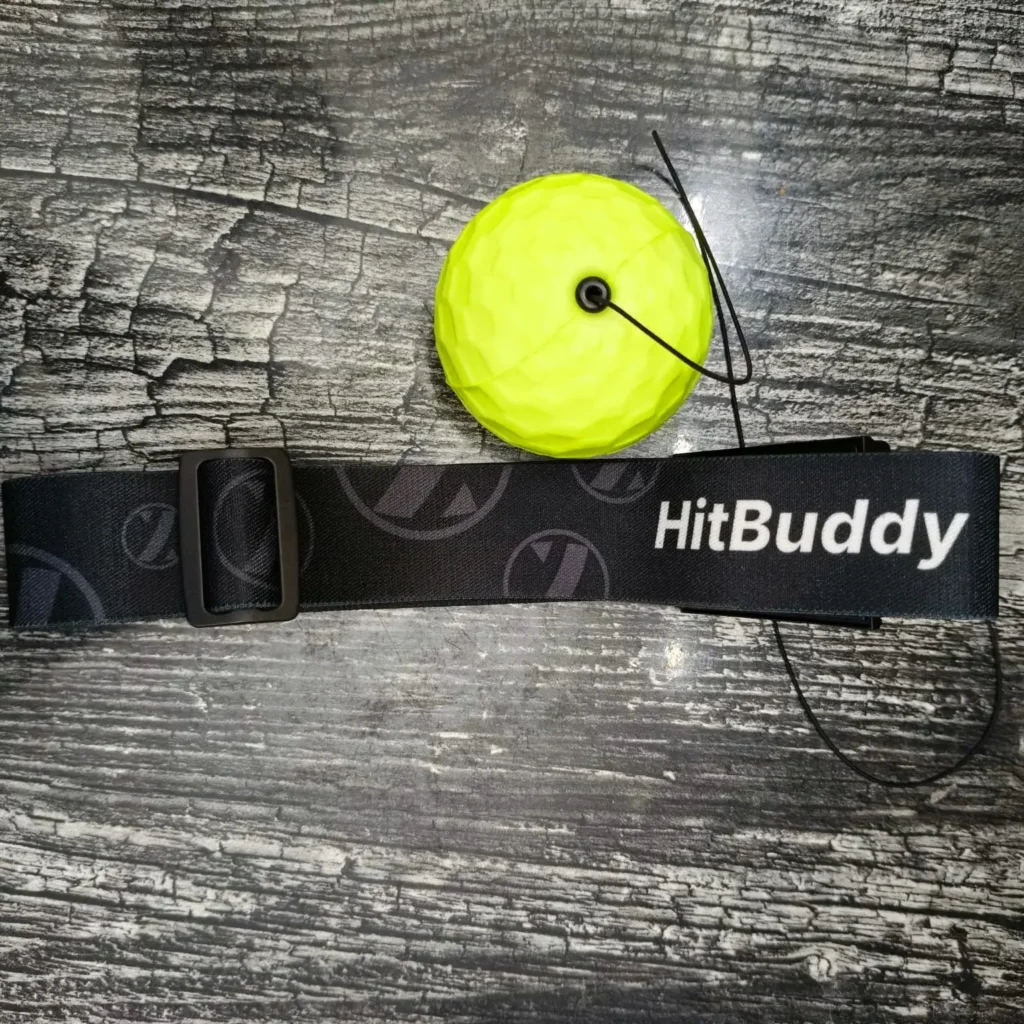
The string adjustment took a little more attention. HitBuddy uses a twist-to-adjust rope length system, and here’s a simple way to adjust it.
- Put the headband on first.
- Let the ball hang naturally in front of the body.
- Set the ball around belly-button level for the first session.
- Use the string lock or adjustment knob to shorten or lengthen the cord.
- Try a few slow hits.
- Adjust again if the ball comes back too fast or feels too far away.
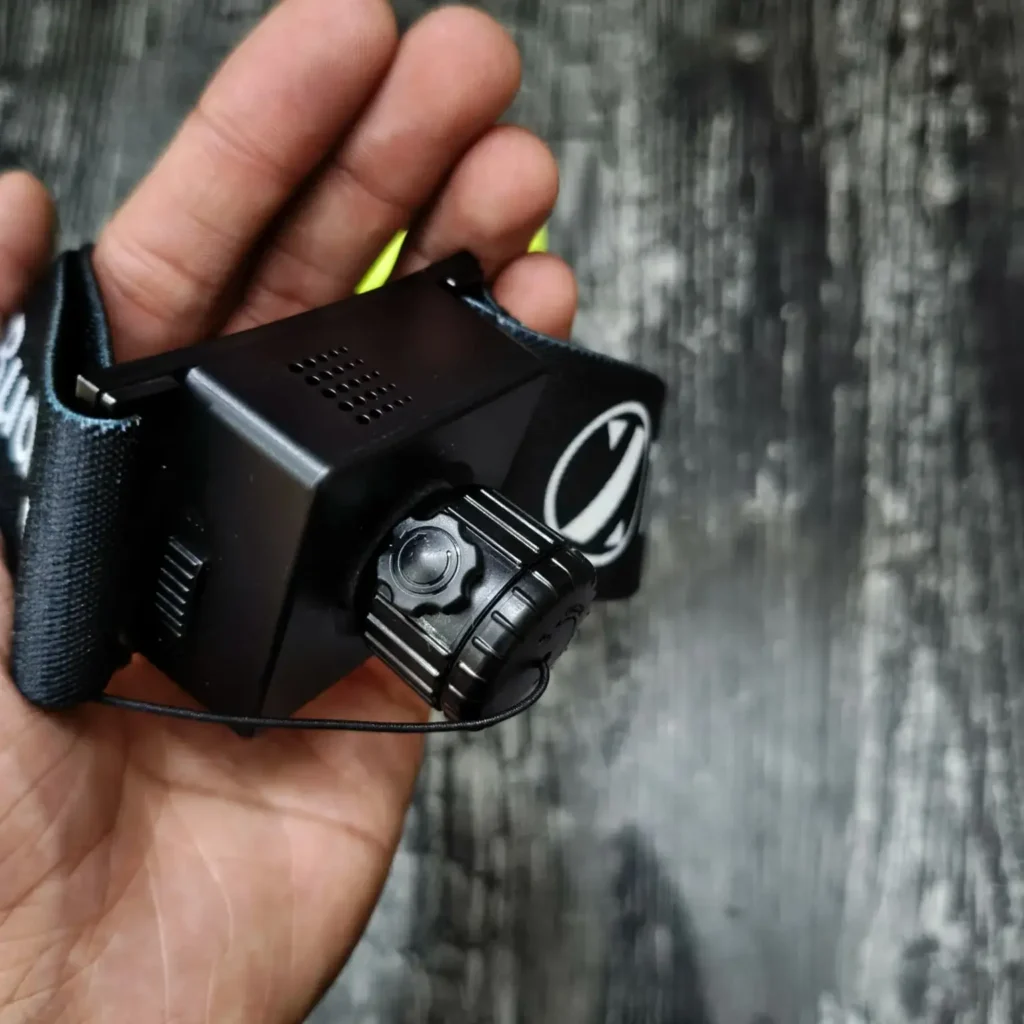
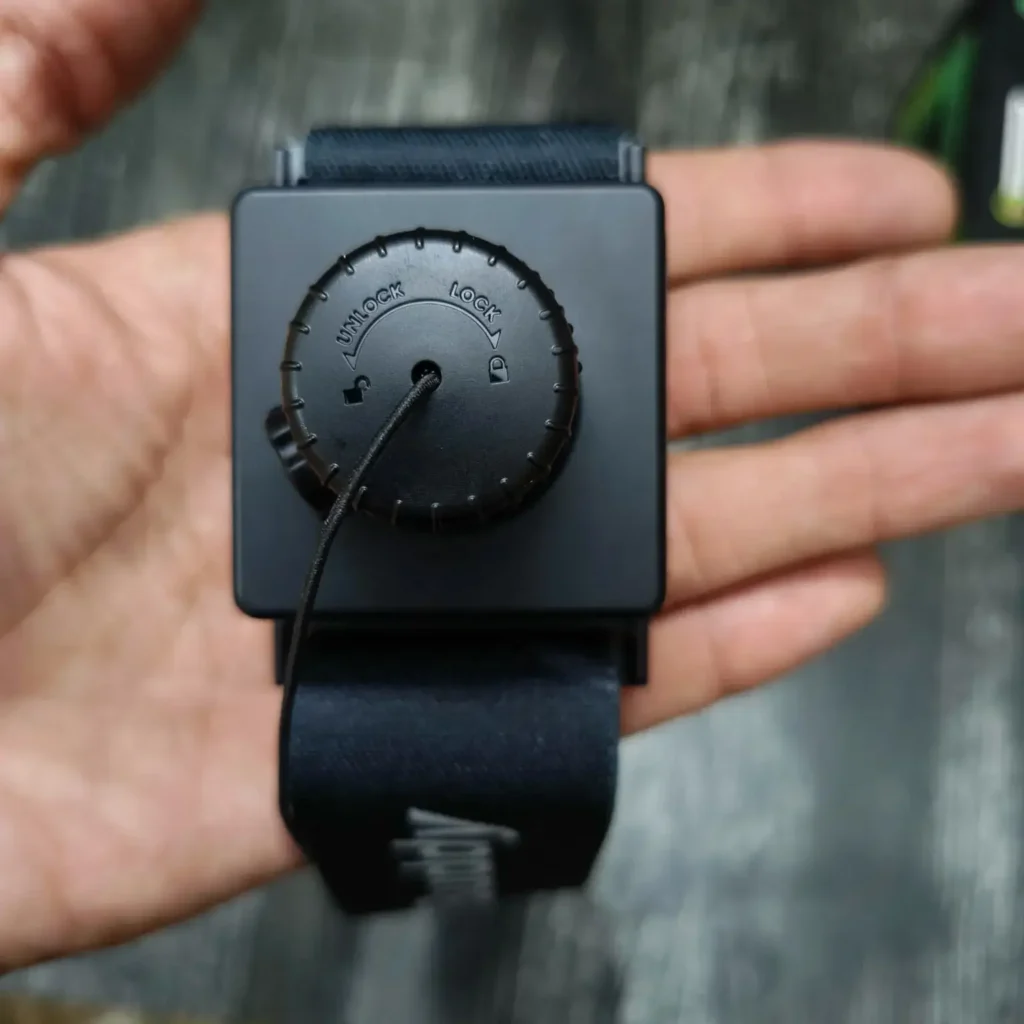
String length changes the whole session. A shorter string makes the ball return faster, which is harder for beginners. A longer string gives more space, but it can feel less controlled if you are new. I had the best first-session result when I started slower and made small changes instead of trying to look fast right away.
The first few minutes were awkward, which is normal. I missed, blinked, and had to slow myself down. After the string length felt right, the reflex ball became easier to read. So, do not judge HitBuddy from the first thirty seconds. Adjust the band, adjust the string, start slow, then build rhythm.
So yes, someone can open the box and start using it in a few minutes. Just do not skip the string adjustment. That is the difference between a useful first session and a foam ball repeatedly reminding you that your timing is bad.
Ball Feel, Speed, and Beginner Difficulty
The ball feels beginner-safe, but the first session is still awkward.
The GlowFlex is soft and light, so when it hits your cheek, nose area, or forehead, it feels annoying more than painful. I still missed and had a few moments where the ball came back faster than my brain expected. But I did not feel like I was using something risky or harsh.
A hard ball would make this product a bad idea for first-time users. This one feels forgiving enough to keep practicing after a hit.
The rebound speed depends a lot on the string length. If the string is shorter, the ball comes back faster and gives you less time to react. That can feel fun once you have rhythm, but it is not where I would start. For a first session, I had a better time using around navel level (as the ball hangs roughly) and slower punches.
The learning curve is real. During the first few minutes, I was not thinking about boxing form. I was just trying to hit the ball without pulling my head back every time it returned. Hand-eye coordination is the main demand here. You need to watch the ball, relax your shoulders, and keep your punches small.
It did get easier after a few sessions. Not easy, but less chaotic. My timing improved once I stopped swinging too hard. My advice is to start slow, shorten your punches, and do not treat the first round like a speed test.
Comfort During Hits and Sink™ Design
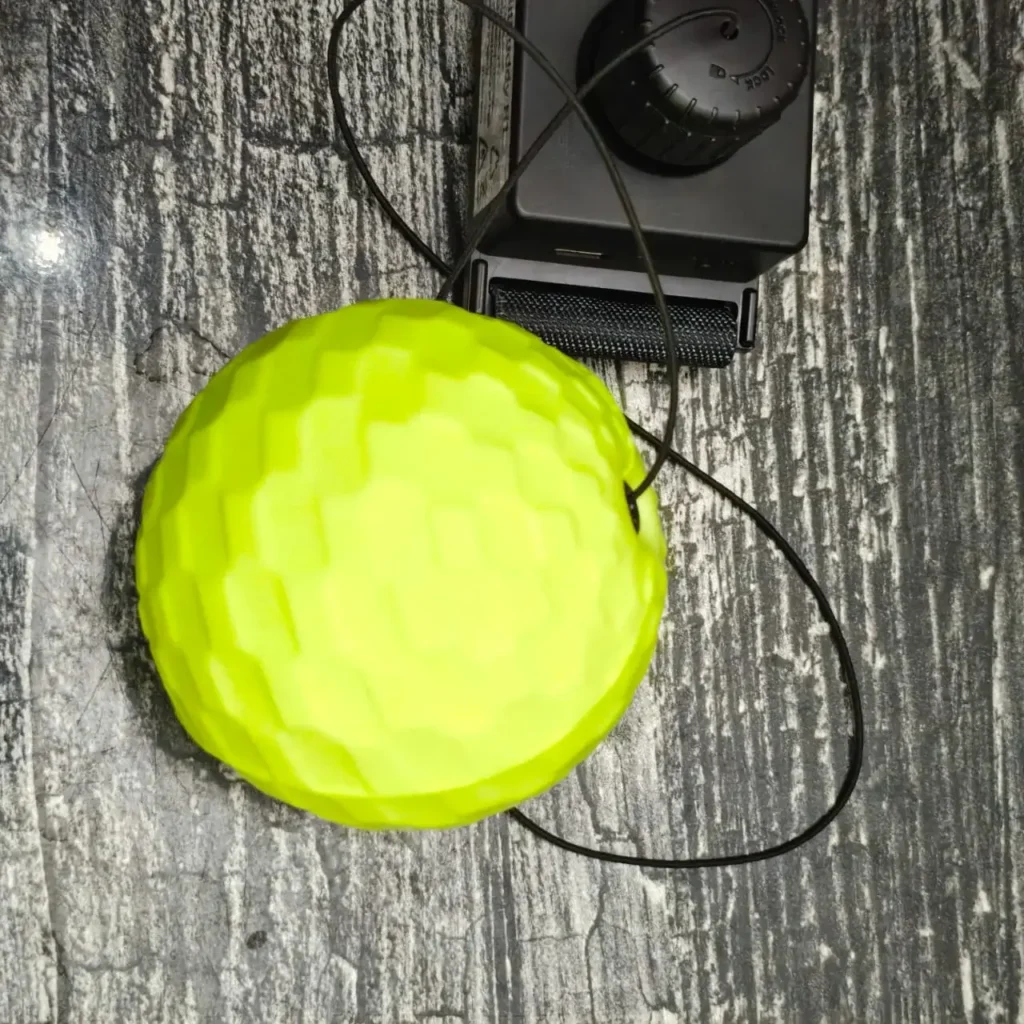
One comfort detail worth mentioning is the Sink™ design. On some reflex balls, the hard plastic anchor or pin parts can sit close enough to the fist that they may touch the hand during repeated hits. It can become irritating during longer practice sessions.
HitBuddy uses a concave Sink™ design around the anchor and pin area. The idea is to keep those two black plastic parts slightly recessed so they are less likely to press against the hand during contact.
I didn’t pay much attention to this during my first few sessions because the ball felt comfortable overall. But after checking it more carefully, I noticed that the black plastic anchor and pin parts did not touch my hand during hits. I think small design details matter more during longer sessions, when hitting the ball from the same angle again and again.
Voice Counter Testing
The voice counter is the core feature that separates HitBuddy H1 from a normal reflex ball. A basic reflex ball gives you no feedback. You hit, miss, guess your score, and move on.
HitBuddy gives spoken count updates while you train, so the score becomes part of the workout. It has a built-in voice counter, and the app also supports hit tracking and progress features.
I tested it in a simple way. First, I did a few slow hits and counted manually. Then I did some medium-speed hits. I also tested light taps, missed hits, harder punches, and accidental string movement.
The counter did not count every tiny touch, and that is a good thing.
In my testing, it only registered proper punches. Light taps did not count. Weak contact also didn’t register. At first, that can feel strict, especially if you are a beginner and you think, “I touched it, so why did it not count?” But after a few rounds, I preferred it this way. If the counter counted every small brush or loose movement, the score would look better but mean less.
Missed hits were not counted, as expected. Accidental movement was also not treated like a clean punch in my use. Harder punches registered more reliably, but I did not need to hit the ball with force. The best results came from clean, direct contact, not wild swinging.
There was no annoying delay that ruined the rhythm. The voice feedback came through clearly enough during normal training.
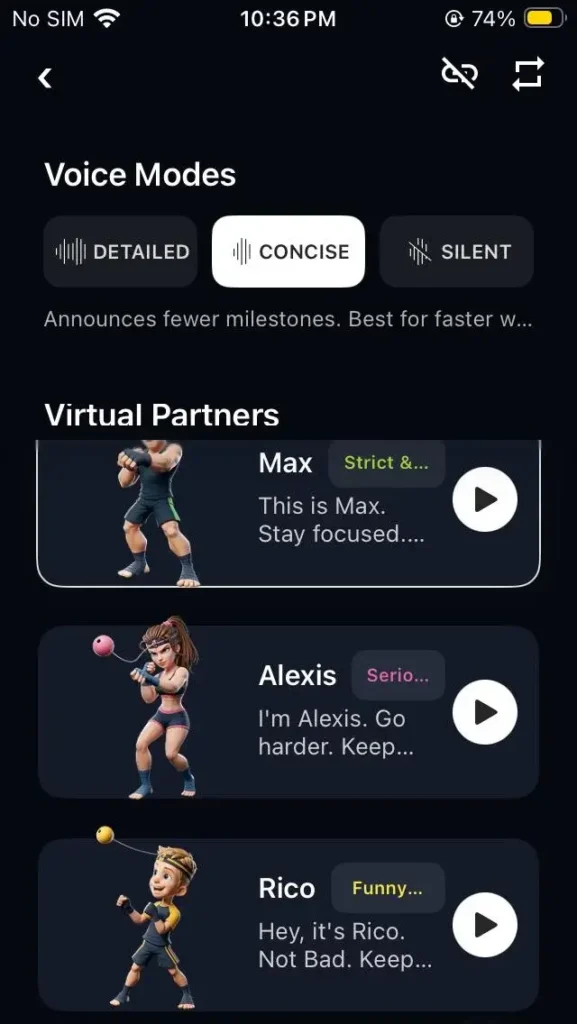
The Mode button controls the voice style. The three virtual partners are also a nice touch. You can switch between Max, Alexis, and Rico, and you can configure them through the app. I do not think the voice character changes the quality of training, but it does change the feel of the session.
The voice counter works best as a practical training helper, not as a perfect lab-grade counter. It rewards clean hits, ignores lazy taps, and gives beginners a number to chase. That makes the workout feel more focused. It also keeps you honest, because weak contact does not always get credit.
Glow-in-the-Dark Feature
The glow ball (GlowFlex) is more of a fun feature, I think. The kit includes a UV flashlight for charging the glow effect.
I tested the glow feature in normal indoor light first, then in a dim room. In bright light, it is mostly a visual extra. You can see the ball better because of its color, but the glow effect does not matter much. In a darker room, it becomes more useful. The ball is easier to track, especially when it comes back fast, and your eyes are still getting used to the rhythm.
The important part is how you use the UV flashlight. Do not rush it. If you shine the flashlight over the ball for only a few seconds, the glow is weaker and fades faster.
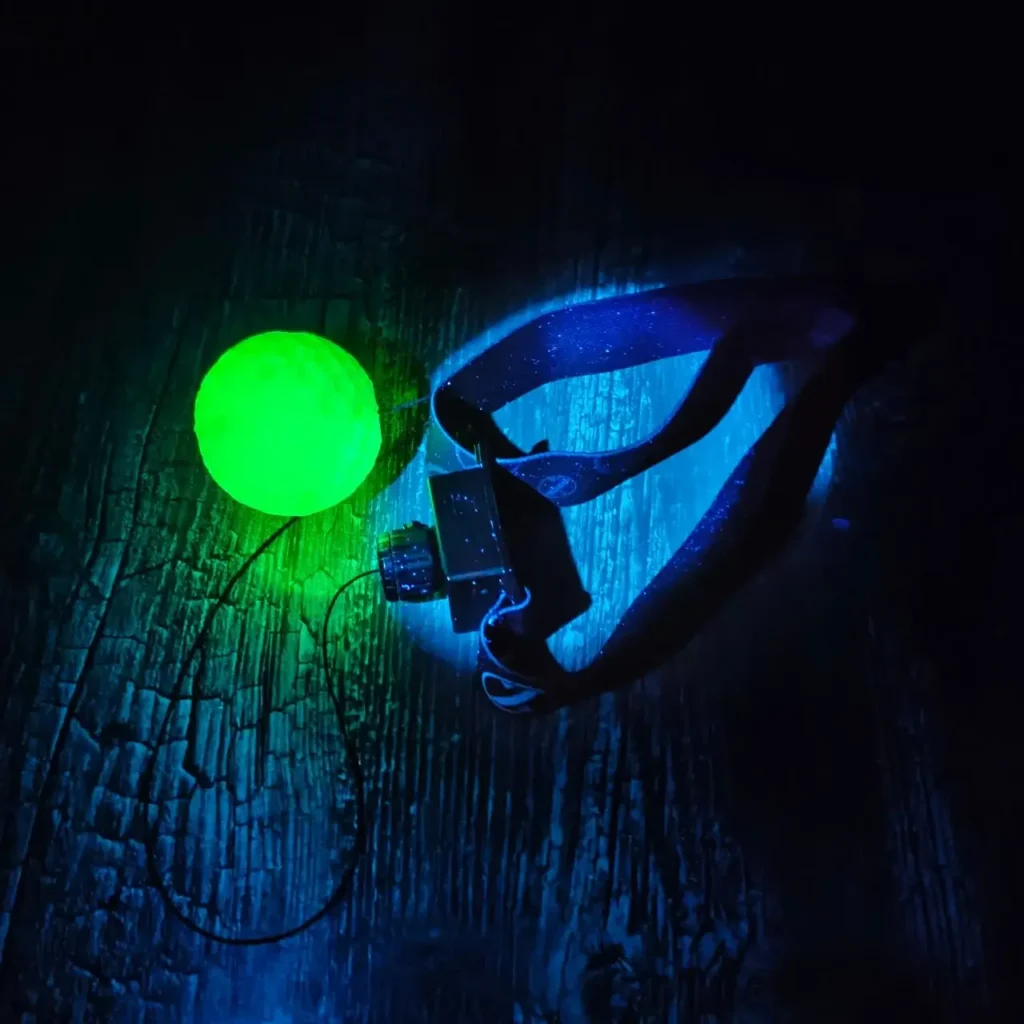
When I took my time and moved the UV light evenly around the ball, the glow lasted for a good amount of time and stayed more visible during practice.
I would not call the glow feature necessary for training, because you can use the ball in normal light without any problem. But it does make evening practice more fun, and it can help beginners follow the ball better in lower light.
The glow ball (GlowFlex) is partly fun and partly useful. It will not improve your timing by itself, but it does make the ball easier to see in dim light, and if you charge it properly with the UV flashlight, the glow lasts long enough to matter during a session.
TekXYZ App Experience
The TekXYZ app is like a short-session training system, with game modes, rankings, video posts, workout records, points, and a small community feed. The app gives you numbers, targets, and a record of what happened.
App Setup and Activation
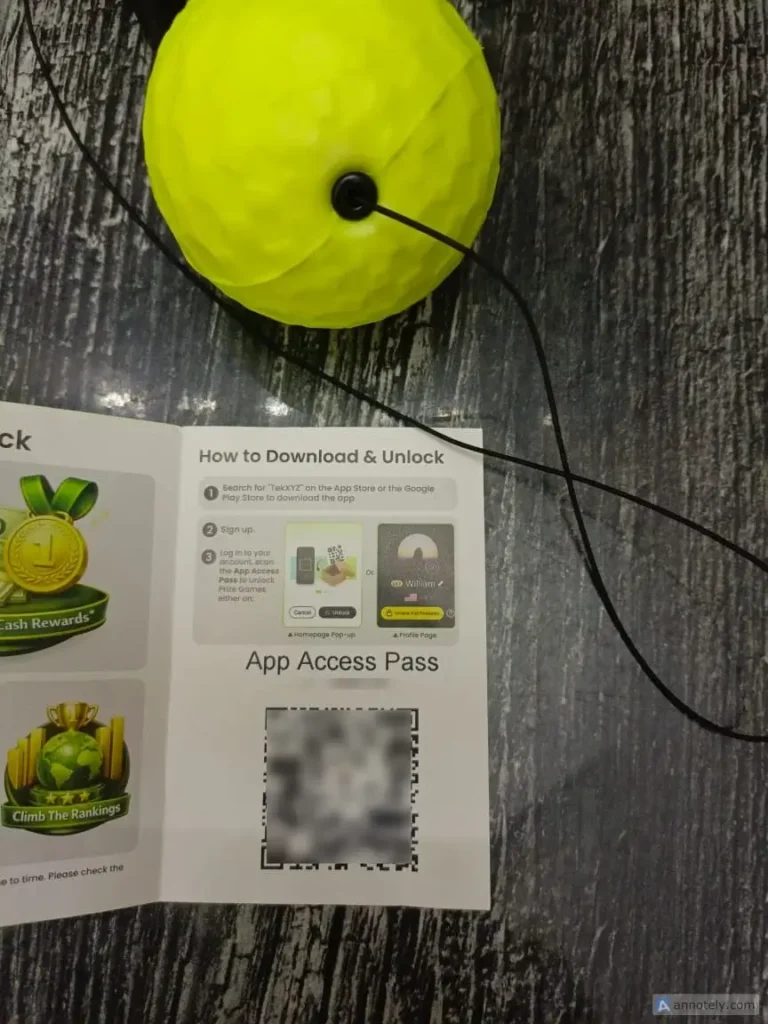
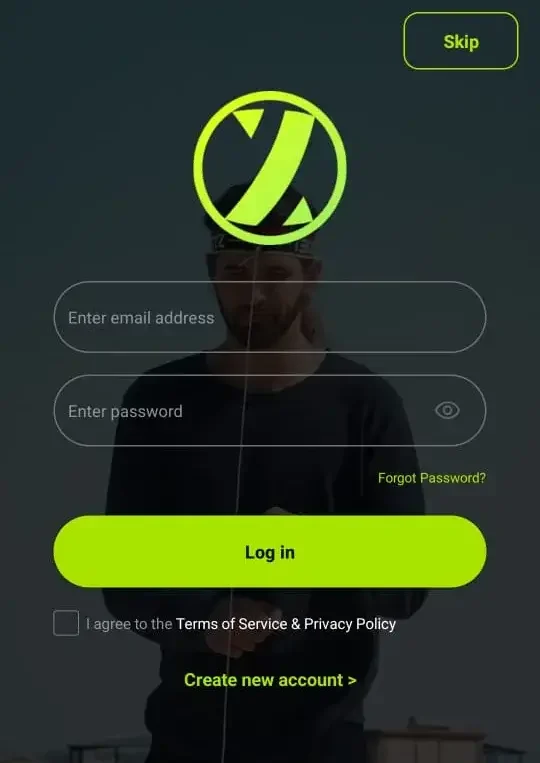
You can download the app from the App Store or Google Play, or scan the QR code on the package. The setup process includes account sign-up, email verification, nickname setup, and then a tutorial page before you reach the main home area.
I scanned the App Access Pass inside the box after account registration to activate full features. Signing up and verification took a minute, and I could go straight into training modes.
Once inside, the layout is clear enough. The main screen puts Daily Games near the front, and the bottom bar gives quick access to home, rankings, play, inbox, and profile.
I did not feel lost, but I also would not call it instant. A beginner should spend a few minutes tapping through the app before starting a proper session.
Training Modes
The training modes give HitBuddy more purpose than just hitting the ball until you get bored.
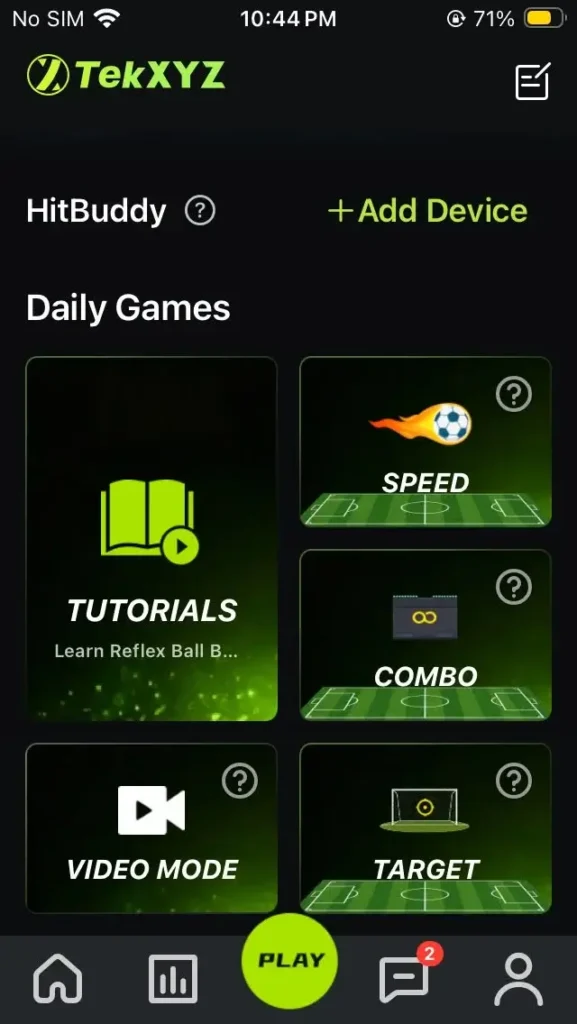
The Play screen showed Tutorials, Speed, Combo, Target, and Video Mode.
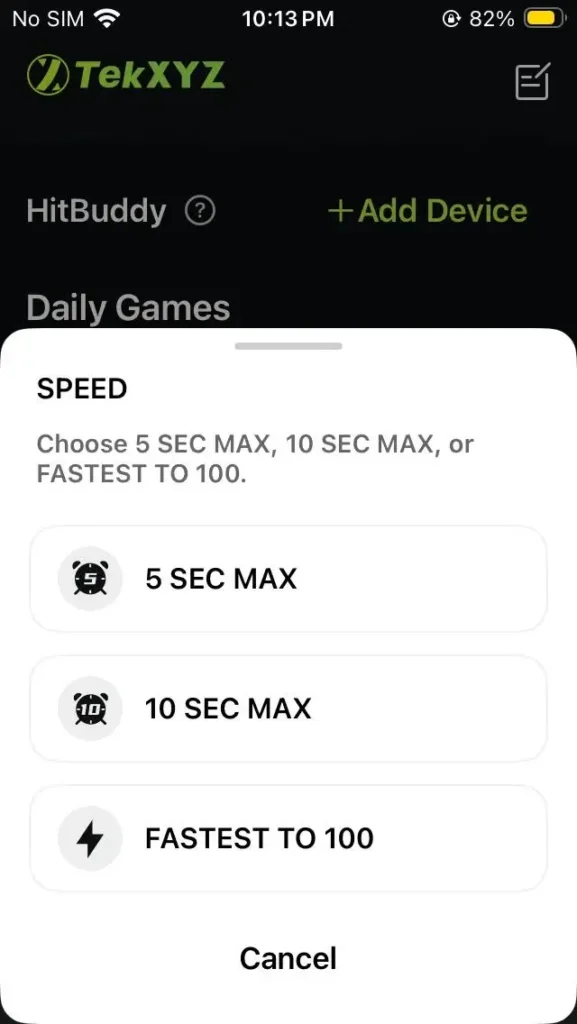
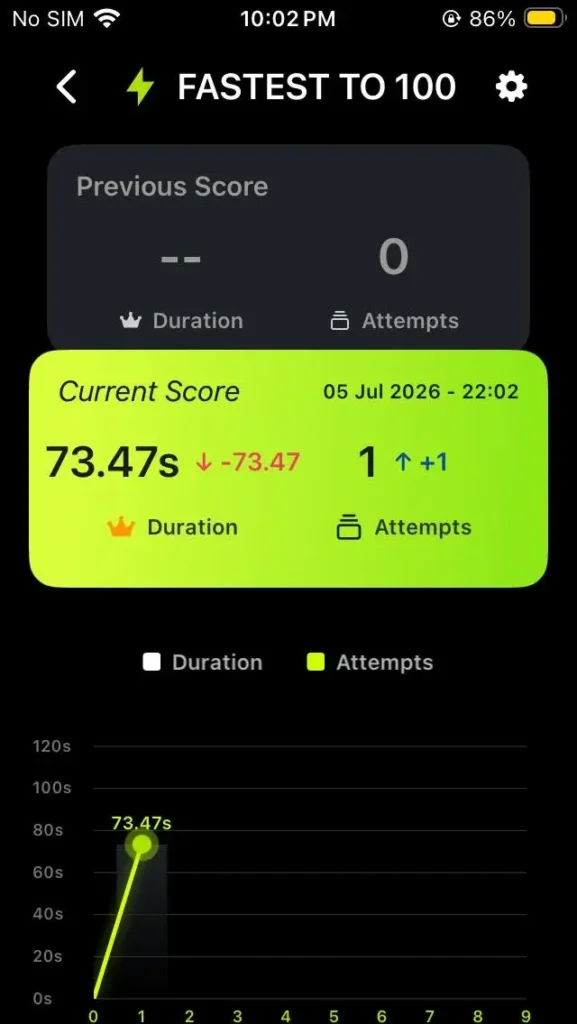
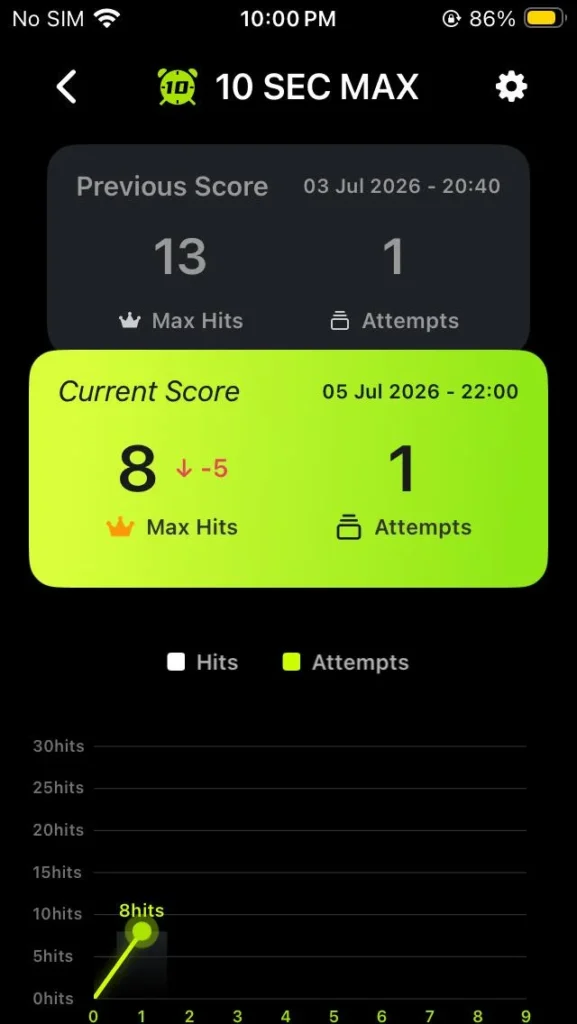
Speed mode is for quick tests. The app showed 5 SEC MAX, 10 SEC MAX, and FASTEST TO 100. These are simple and easy to understand. You either hit as many as you can in a short time or try to reach 100 hits as fast as possible.
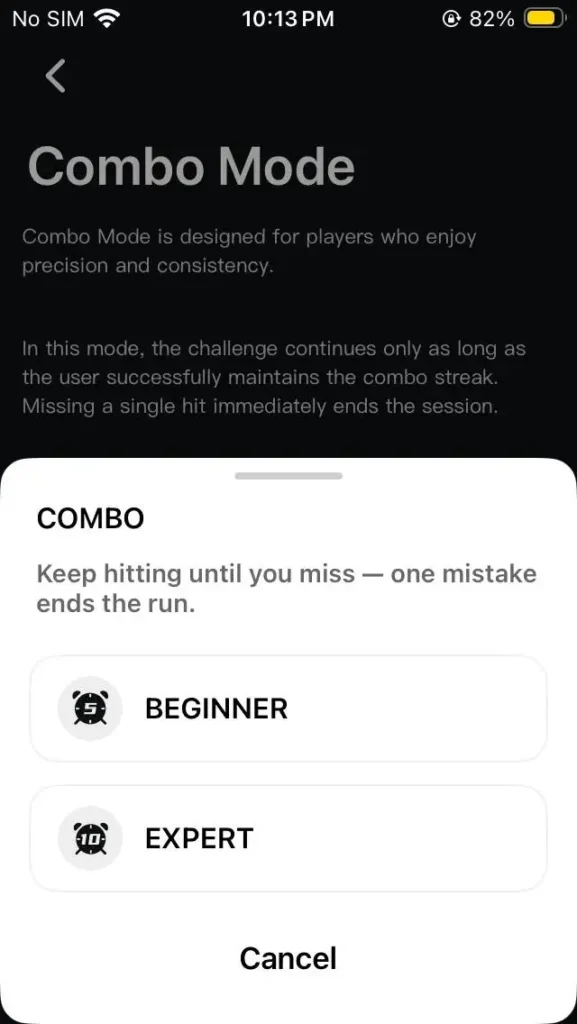
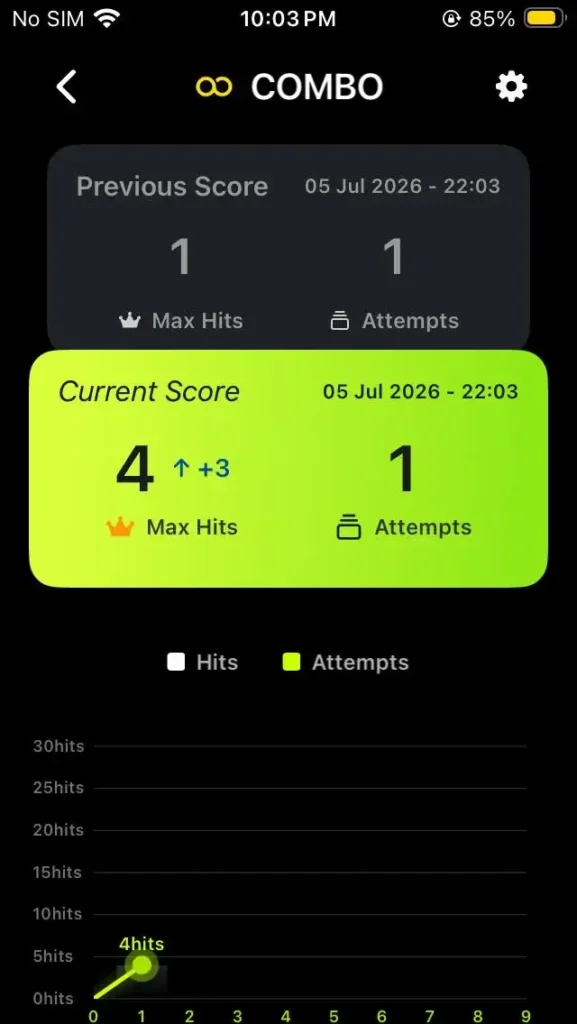
Combo Mode is stricter. Keep hitting until you miss, and one mistake ends the run. I liked the idea, but I would not start here as a complete beginner. It is better once you can keep the ball under control for more than a few hits.
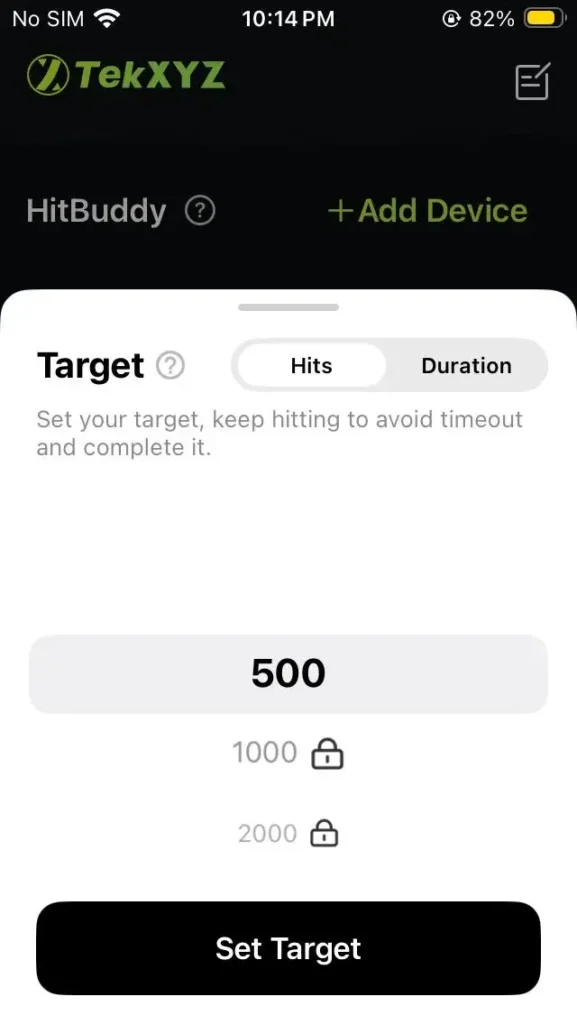
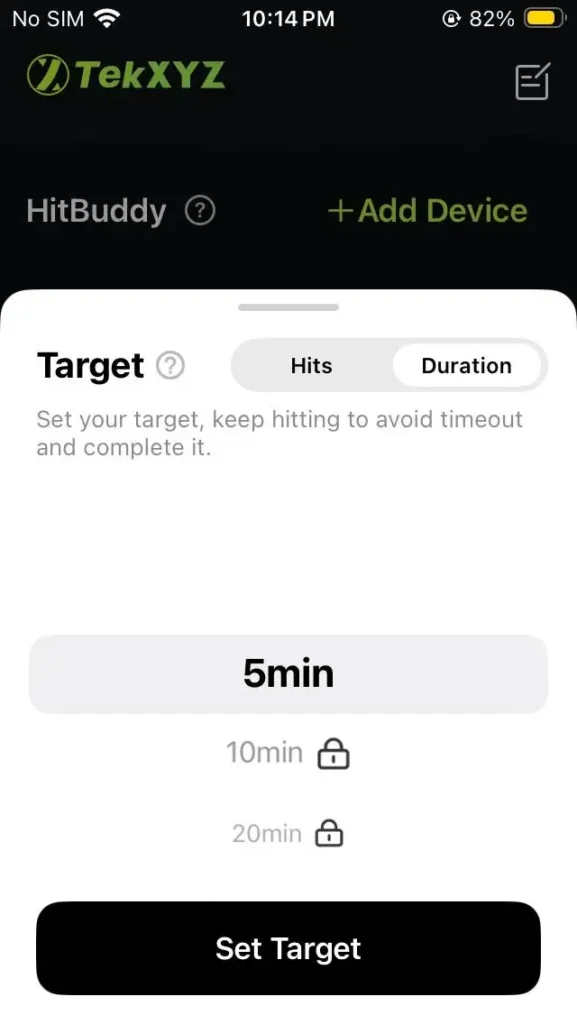
Target Mode is the most beginner-friendly mode for me. You can set a goal by hits or duration. In my app, I could choose 500 hits or more. For duration, I could set 5 minutes or more. Longer options were locked, and you can unlock them by completing previous ones.
Hit Tracking and Counting
The live workout screen is clean.
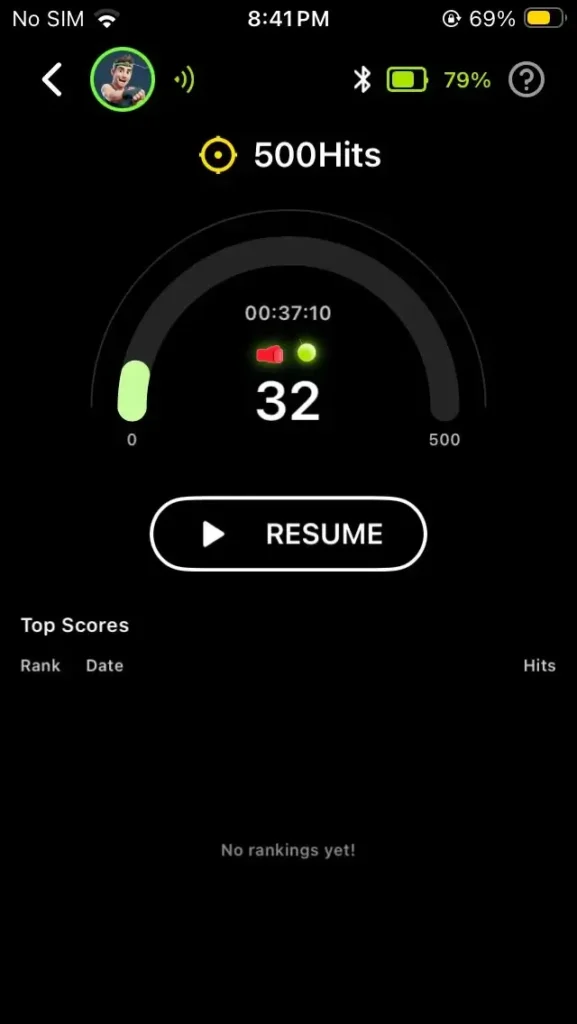
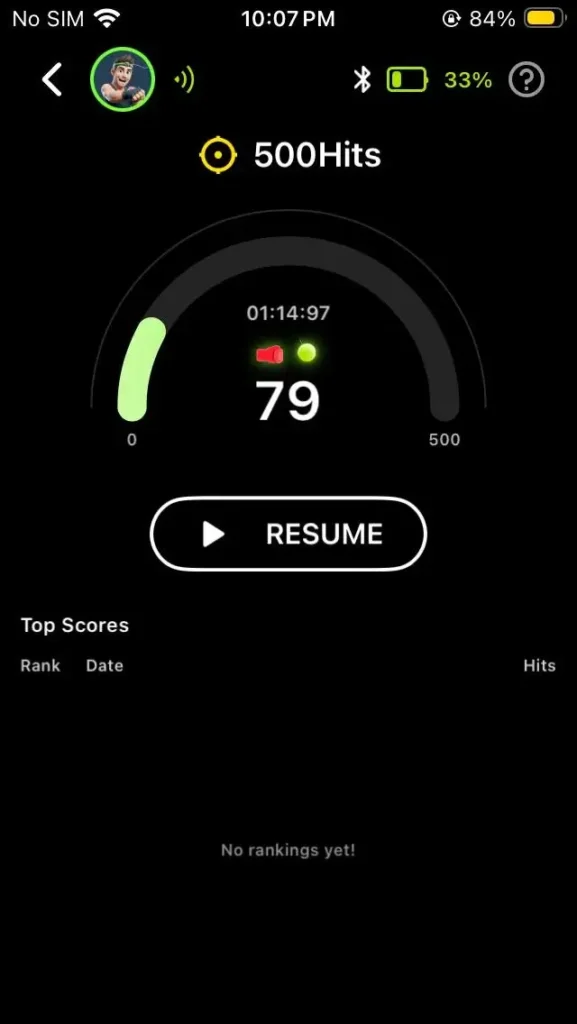
In my 500-hit session, the app showed the target at the top, the current hit count in the middle, the timer, a progress arc, Bluetooth status, voice icon, battery reading, and a Top Scores area. I did not have to stop and search for the number.
I also tested a duration target. The app showed the countdown-style timer clearly, with the hit count above it. For a 5-minute target, I could see the time, the count, and the progress ring without thinking too much.
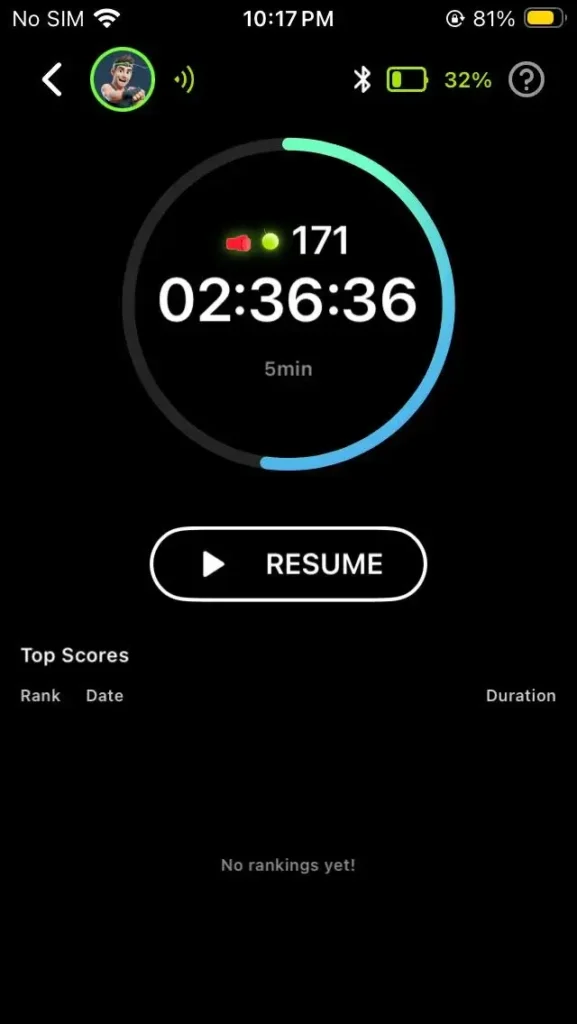
The count felt useful because it gave the session a clear goal. Instead of saying, “I practiced for a bit,” I had actual numbers. In one target session, I paused at 79 hits. In another duration session, I had 171 hits with time still running. That kind of feedback makes practice feel less random.
Still, I would treat the number as training feedback, not perfect lab data. Weak hits, messy rebounds, room noise, and phone placement can affect tracking.
Workout History
I liked this section because it gives you simple progress data without making the screen hard to read. It showed check-in progress, days trained, daily streak, hits, duration, calories, all-time stats, and workout stats by week or day.
It also broke down the most played modes, including COMBO, Speed, Target, and Video Mode.
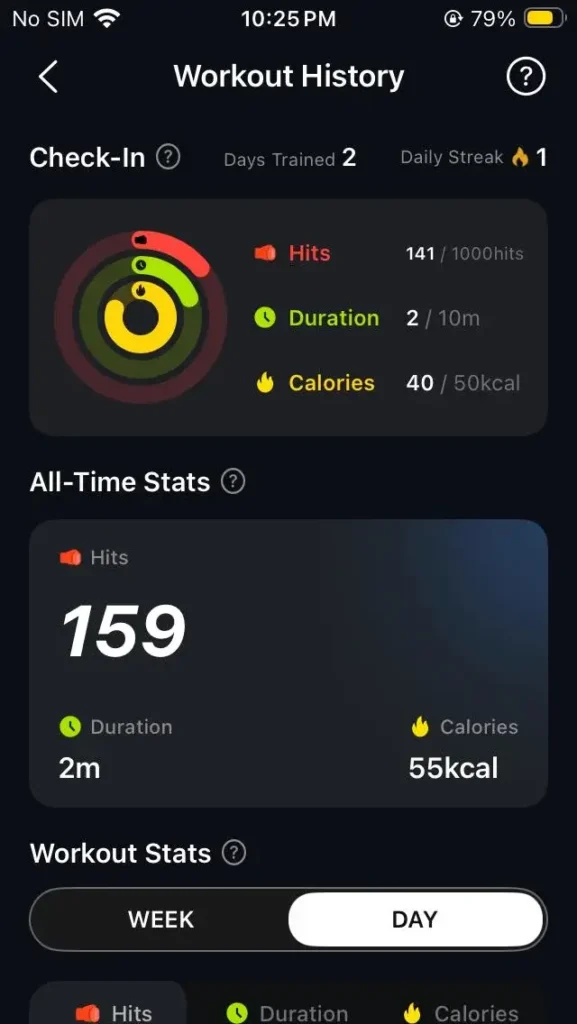
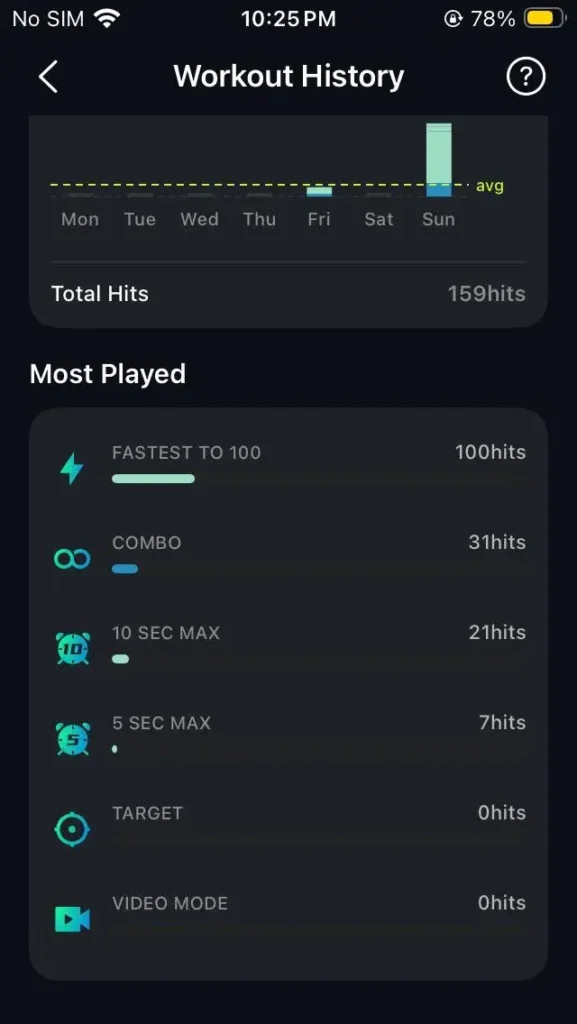
It’s easy to understand the data, and you’ll know if you trained, how many hits you got, how long you lasted, and which modes you used most.
Rankings, Points, and Events
The rankings section is for people who need competition to stay interested. I do not think every beginner will care about it, but it does make the app feel more active.
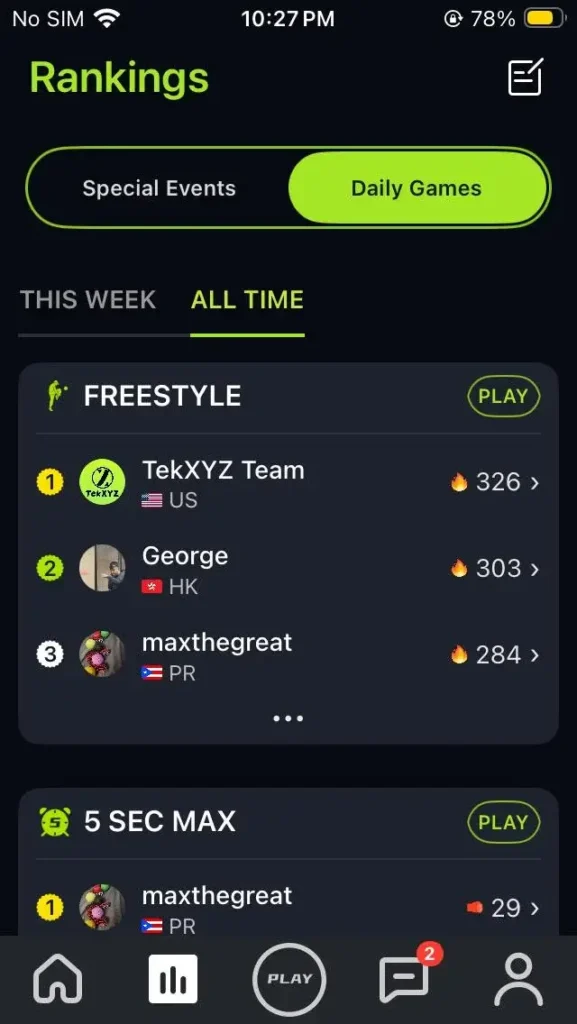
The Rankings tab showed Special Events and Daily Games. In Daily Games, you can see weekly and all-time rankings for modes like Freestyle and 5 SEC MAX. The app also showed top users, countries, scores, and a Play button beside each mode.
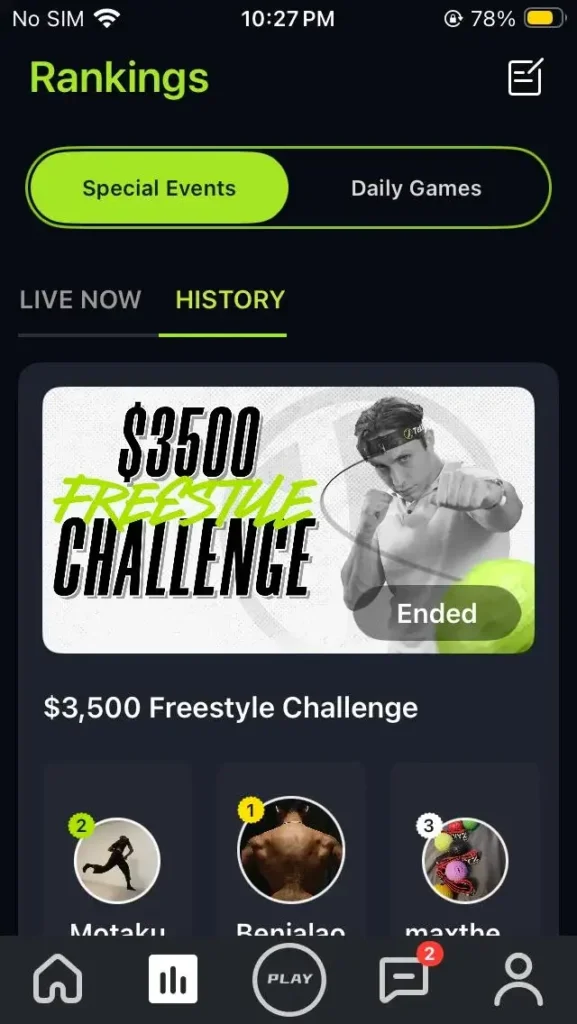
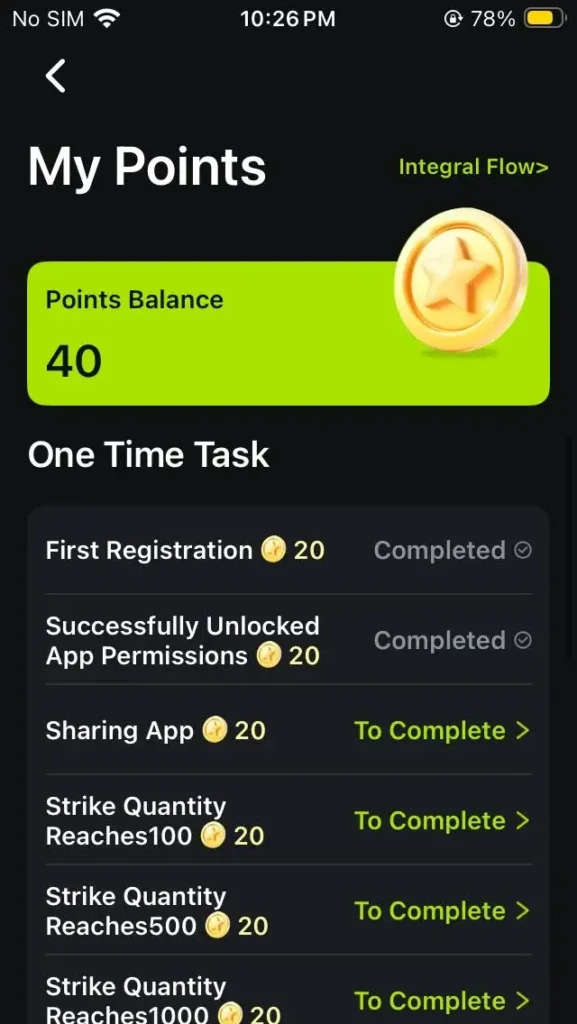
Also, use the App Access Pass to unlock and join the Special Events. There are prizes for the winners of Special Events. Users who sign up without using the App Access Pass to unlock can still enjoy all other features. The My Points section is another small motivator.
Video Mode and Community Feed
Video Mode is for recording training clips and posting them inside the app.
It is useful if you want proof for rankings or if you like seeing how other people train. It is less useful if you are private, camera-shy, or just want a quiet home workout.
The good part is that video is optional. You can still use the app for games and tracking without making every session public.
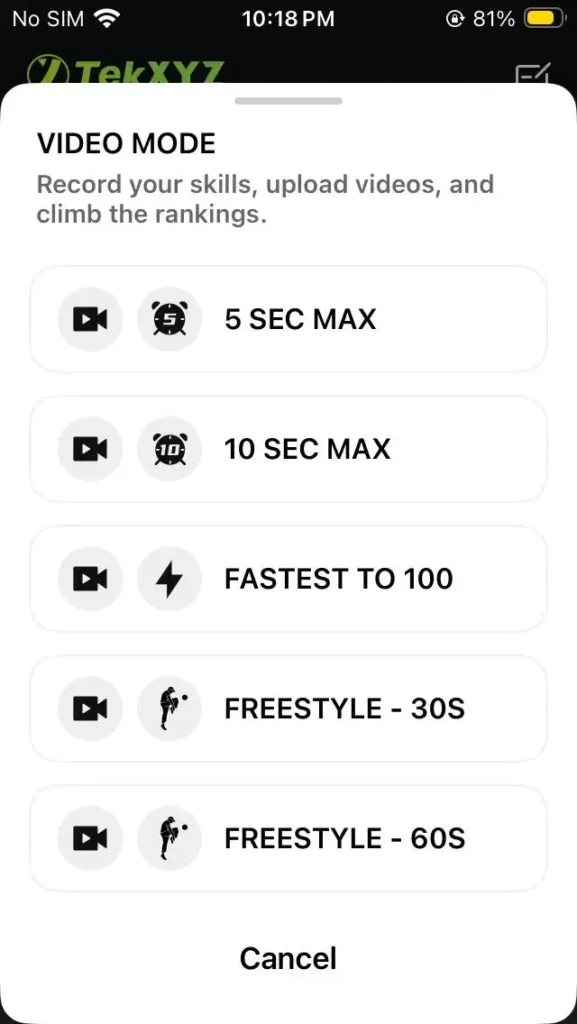
The community side can also help beginners see how other people use the product. For me, the best use of video is personal review. Record a short session, watch where you miss, check if you are pulling your head back, then try again.
Voice Controls Inside the App
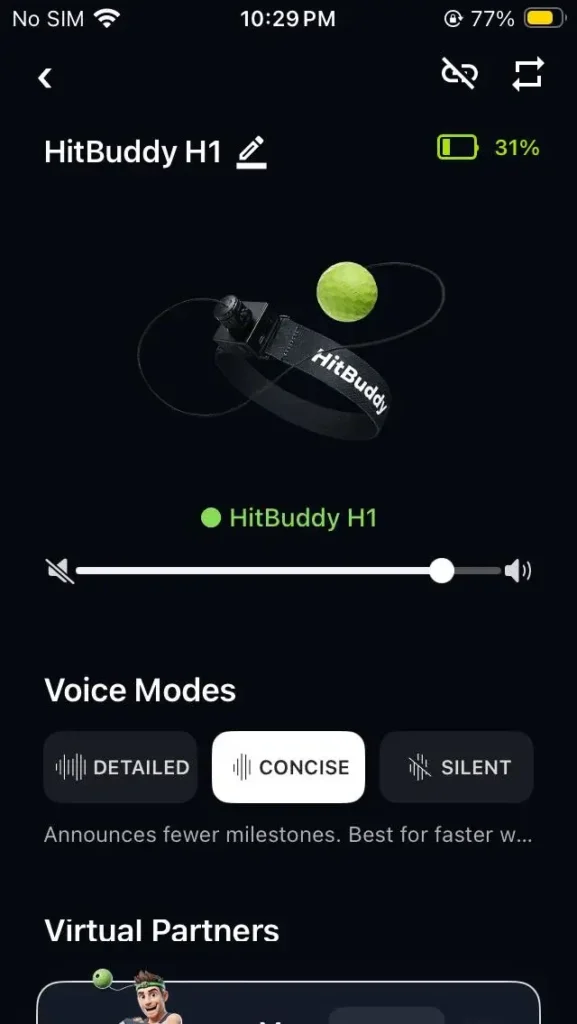
The app also lets you control the voice experience from the device page. I could see the connected HitBuddy H1, battery level, volume control, voice modes, and virtual partners.
The voice modes are Detailed, Concise, and Silent.
- Detailed Mode: more frequent updates and better for beginners
- Concise Mode: fewer updates and better once you are moving faster
- Silent Mode: no spoken updates when you just want to train quietly
I started with Detailed Mode because it gave more feedback while I was still adjusting. Once the rhythm improved, Concise Mode felt better. Too many voice updates during faster rounds can start to feel like noise. Silent Mode is useful if you are training late, sharing a room, or using the app screen for your count instead.
The virtual partners add some personality without changing the workout itself. The useful part is that you can adjust the voice setup from the app instead of guessing from the device alone.
Inbox and Profile
The Inbox is simple. It keeps app messages and notices in one place. For example, update messages like Version 1.4.1.
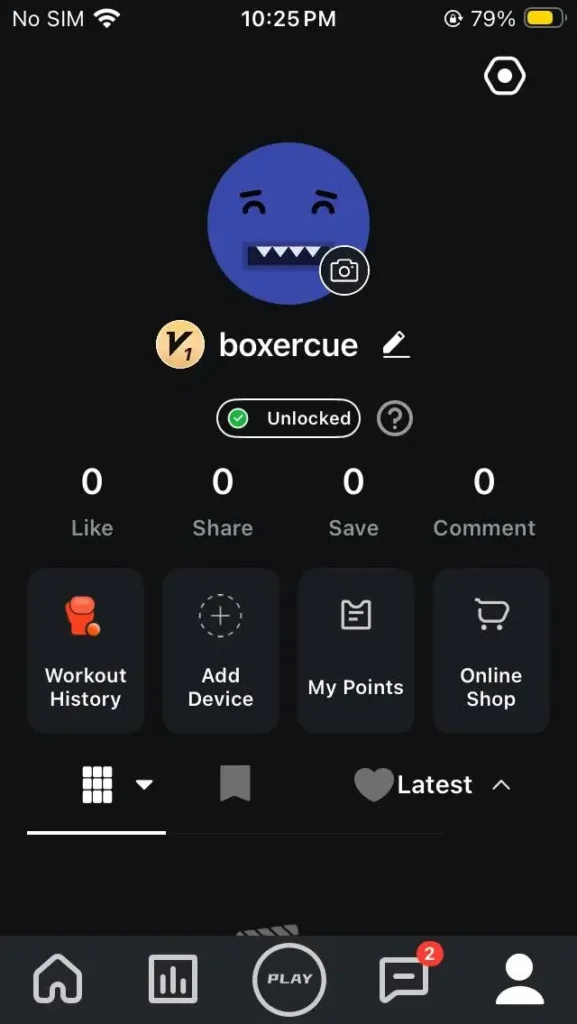
The Profile area is more useful. It gives you access to Workout History, points, and account details, and the app feels like a training log.
My Take on the App
The TekXYZ app gives HitBuddy structure. The best parts are Target Mode, live hit tracking, Workout History, and the simple game modes. During my app run, the main screens loaded normally. There were no upload delays or login problems.
Few things to keep in mind: You need to create an account to proceed. Video Mode will not matter to everyone. Rankings and points are nice, but not the main reason to buy.
If you want short goals, scores, progress records, and a little competition, the app makes HitBuddy H1 much more useful and fun.
HitBuddy vs Classic TekXYZ Reflex Balls
HitBuddy H1 and the Classic TekXYZ reflex balls are built for the same basic idea: hit the ball, improve timing, and get better at hand-eye coordination.
The Classic TekXYZ sets are simpler. The 2-ball set includes a beginner ball and a faster red ball, while the 3-ball set adds a heavier green ball for more advanced users.
HitBuddy H1 adds a glow ball (GlowFlex), built-in voice counter, voice modes, slide-buckle headband, easier string adjustment, and app support. HitBuddy is priced at $36.99, the Classic 2-ball set at $24.99, and the Classic 3-ball set at $29.99.
| Feature | HitBuddy H1 | Classic TekXYZ Reflex Balls | My Take |
|---|---|---|---|
| Best for | Beginners who want feedback, targets, and tracking | Beginners who want a simple low-cost reflex ball | HitBuddy feels more guided. Classic feels more basic. |
| Counting | Built-in voice counter | No built-in voice counter | HitBuddy helps you track hits without counting in your head. |
| Voice feedback | Detailed, Concise, and Silent modes | Not included | HitBuddy gives live feedback, or lets you turn it quiet. |
| App use | App access, training modes, rankings, workout records | App access is included with Classic sets too | Both can use the app, but HitBuddy feels more connected because of the counter and device features. |
| Ball type | Glow ball (GlowFlex) | Standard classic balls | HitBuddy is better for dim light and visual fun. Classic is simpler. |
| Difficulty options | One main glow ball with adjustable string | 2-ball or 3-ball sets with different difficulty levels | Classic gives more physical ball variety. But HitBuddy is a soft and safe choice. |
| Headband | Slide-buckle style | Classic adjustable headband | HitBuddy felt easier to fine-tune while wearing. |
| Price | $36.99 | $29.99 | Classic is better if budget matters most. |
| Main weakness | More setup, more features to learn | Less feedback and no built-in count | Choose based on if you want simple practice or measured practice. |
The Classic sets make sense if you want an affordable way into reflex ball training. They also give you different ball difficulty levels, which is useful as your timing improves. The red and green balls are there for faster rebound and sharper control, so the Classic 3-ball set has a nice progression built in.
Get HitBuddy H1 if you want structure. The voice counter, app data, target modes, and glow ball made my sessions feel less random. I did not have to guess whether I was improving. I could see counts, use targets, and compare results after practice.
Pros and Limitations
- Voice counter makes tracking easy
- Counts clean punches more accurately
- Sink™ concave design helps reduce hand contact with the hard anchor and pin parts.
- Adjustable and stable headband fit
- App adds structure and training modes
- Workout history helps track progress
- Glow ball (GlowFlex) works well in low light
- Good for short home sessions
- First sessions feel frustrating as you’ll miss the ball often.
- Counting can vary depending on your hits. Only clean punches register well.
- App setup takes a bit of time
- Not a replacement for real boxing training
Who Should and Shouldn’t Buy HitBuddy H1?
HitBuddy H1 is best for beginners who want feedback, casual users who want a fun stress-relief activity, people who prefer short home or office workouts, and reflex ball fans who like tracking progress with scores and targets.
It is not ideal for serious boxing training, heavy bag replacement, full cardio workouts, or users who want something simple with no setup.
Final Verdict
HitBuddy H1 makes reflex ball training feel more fun, more structured, and easier to measure. It is enjoyable to use. You are not just doing a boring hand-eye coordination drill. You are chasing the ball, missing, adjusting, trying again, and slowly getting better.
The voice counter is the main win. It gives you feedback while you train and helps you chase a clear number. The app adds even more structure with game modes, hit tracking, workout records, rankings, points, and video features.
It is not perfect. Beginners still need patience, and the counter works best when your hits are clean. The app also adds a few setup steps, so this is not as simple as pulling a basic reflex ball from a drawer and starting instantly.
Buy HitBuddy H1 if you want a reflex ball with feedback, targets, and progress tracking. Skip it if you only want the simplest ball-on-string setup.
For anyone who likes numbers, progress, and short practice sessions, HitBuddy H1 is the better pick!